The 9 Best SEO Project Management Software Tools for Agencies in 2026
I compared nine tools on what clients can see, how approvals work, and what each would cost an agency managing 30 clients. OthFlow is my own, and its limits are in here too.

Tim, Founder of OthFlow
Published Last updated 22 min read
9 tools, compared for SEO retainers
Client view · approvals · monthly repeats · cost at 30 clients
- 01OthFlowSEO and content retainers
- 02Teamwork.comAgencies that sell retainers as hours
- 03ClickUpTeams that want to build their own system
- 04AsanaAgencies that run work as projects and portfolios
- 05monday.comTeams that like building boards
- 06WrikeAgencies that need formal sign-off
- 07WayfrontPackaged SEO services sold online
- 08BasecampSimple client communication
- 09TrelloSmall teams with a few clients
On this page
- The best SEO project management software at a glance
- Where SEO work slips through the cracks
- How I picked and checked these tools
- 1. OthFlow
- 2. Teamwork.com
- 3. ClickUp
- 4. Asana
- 5. monday.com
- 6. Wrike
- 7. Wayfront (formerly SPP)
- 8. Basecamp
- 9. Trello
- What each tool costs a 30-client agency
- How to choose SEO project management software
- About the author
I’ve lost count of how many “Any updates on this?” emails I’ve had to answer over the years. Most of the time, the work is getting done. The problem is that the client can’t see it.
Every one of those emails takes time out of an account manager’s day. And when a client has to keep asking for updates, it’s easy for them to feel like nothing is happening.
I know this pain pretty well. I’ve spent seven years working in SEO agencies, mostly as a strategist in client-facing roles where I was responsible for making sure deliverables got done. Some of those agencies had over 50 clients on retainer, so I’ve seen how quickly things can get messy when clients don’t have visibility into the work.
For this guide, I compared nine project management tools based on three things: how much clients can actually see, how approvals work, and what each tool would cost an agency managing 30 clients.
I’m also the founder of OthFlow, which is one of the tools on this list. I’ve included its limitations, too.
The best SEO project management software at a glance
For an SEO agency, a good project management tool should make it easy for clients to see what’s being worked on, review and approve deliverables, and keep recurring monthly work organised without having to set everything up again.
That’s what we’ve built OthFlow around. But if you’re looking for a more general project management tool, Teamwork.com is probably the strongest option for client work. Wrike makes more sense if your agency needs a formal approval process, while Trello is a good fit for smaller teams that want to keep things simple.
| Tool | Best for | What clients see | Client approvals | Monthly repeats | Starting price (Oct 2026) |
|---|---|---|---|---|---|
| OthFlow | SEO and content retainers | A portal with their roadmap, onboarding checklist, approvals and invoices, opened from a secure link | Approve or request changes in the portal | Each client’s month is planned in the tool, and a missing plan lowers the client’s health score | $79/month, or $790/year, for up to 5 active clients |
| Teamwork.com | Agencies that sell retainers as hours | Their own projects, as free client users | Proofs, with no login needed | Repeating tasks | $9.99/user/month |
| ClickUp | Teams that want to build their own system | View-only public links, or free view-only guest access | Proofing comments, with approvals built from statuses | Recurring tasks and template automations | Free; Core from $9/user/month |
| Asana | Agencies that run work as projects and portfolios | Their own projects, as free guests | Approvals and proofing on Advanced | Custom templates and automations | Free; Starter from $10.99/user/month |
| monday.com | Teams that like building boards | Read-only boards on Basic, and shared boards for guests from Standard | Built from status columns and automations | Automations that copy a monthly group | Free; Basic from $9/seat/month |
| Wrike | Agencies that need formal sign-off | Free viewer access with comments | Approvals on Business | Space templates on Business | Free; Team from $10/user/month |
| Wayfront | Packaged SEO services sold online | A branded portal with their orders and progress | File proofing and revision requests on finished orders | Subscription orders reopen each billing cycle | $99/month billed yearly |
| Basecamp | Simple client communication | Only what you choose to show in client mode | No approval step | Project templates on Pro and up | Free; Freelancer $29/month |
| Trello | Small teams with a few clients | One free board per client | Third-party Power-Ups | Card Repeater Power-Up | Free; Standard from $5/user/month |
Scroll sideways to see every column.
Where SEO work slips through the cracks
Most SEO retainers follow a similar routine. You have the same deliverables to get through every month, clients who need to review and approve things along the way, and an account manager trying to keep everything moving.
In the agencies I’ve worked at, I’ve seen this process break down in four main areas. And I think any project management tool built for SEO agencies needs to handle all four.
Clients can’t see what’s happening
When a new client comes on board, they often have no idea where to go, what’s happening next, or what you need from them. Someone has to explain everything, and even then, they might still need to ask for updates.
It gets worse when all the work is tracked in a Google Sheet that strategists don’t always remember to update. A client asks, “How are we getting on with this?” and the account manager has to chase the team before they can give an answer.
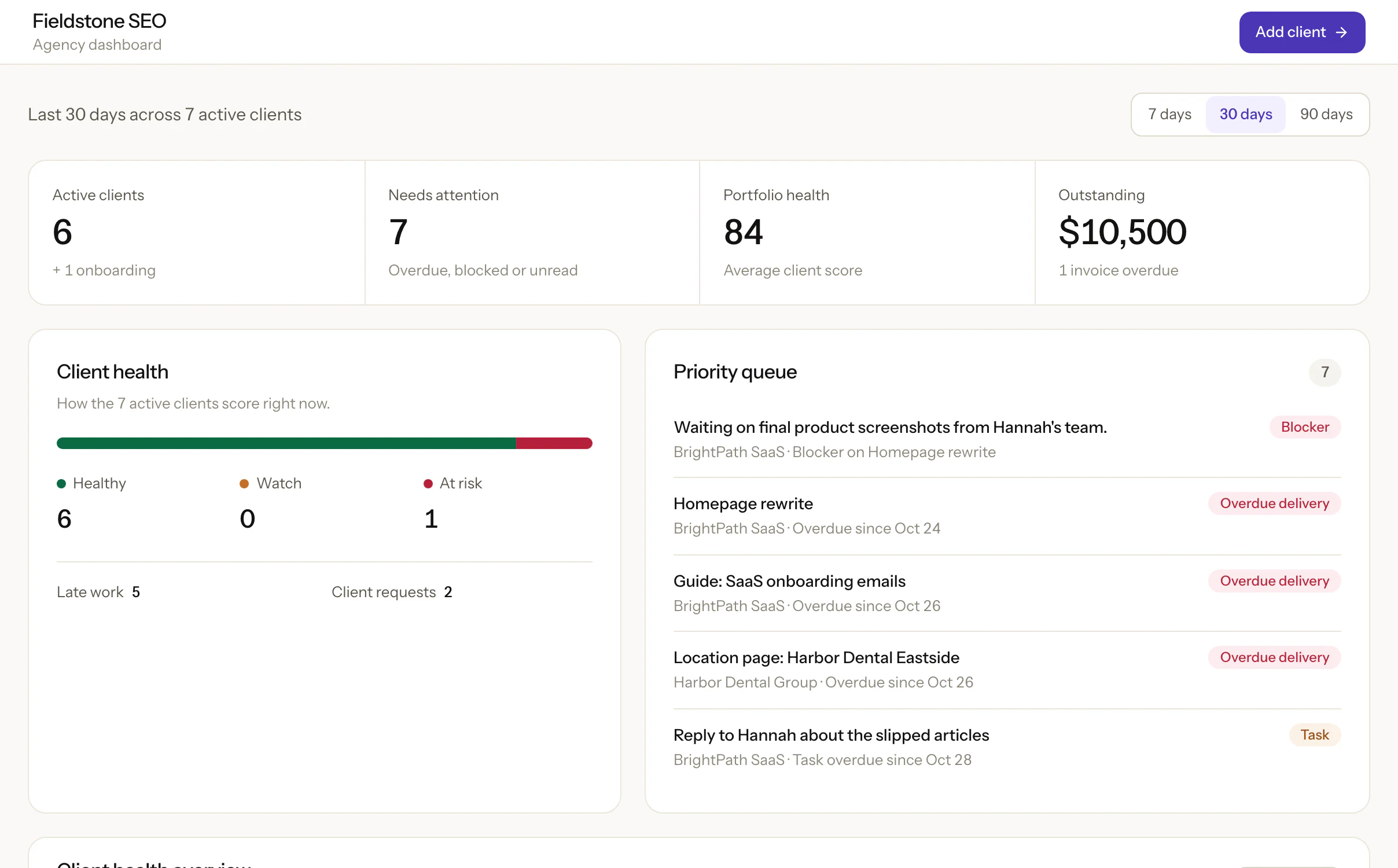
A client-facing dashboard would solve a lot of this. At a minimum, clients should be able to see what they need to do during onboarding, like granting access to Google Search Console, what work is planned and when it’s due, and anything currently waiting on their approval or input.
And I think agencies underestimate just how much this lack of visibility can hurt client relationships.
In Setup and the CMO Institute’s 2025 Marketing Relationship Survey, 61% of clients who had ended an agency relationship said they were unhappy with delivery. Yet only 18% of agencies thought delivery was the reason clients left.
It’s a small survey, with about 100 responses, so I wouldn’t read too much into the exact numbers. But the difference is hard to ignore.
And even good SEO results don’t necessarily make up for poor communication. One agency owner on r/agency shared a story about a client who almost left despite six months of improving rankings. The problem was that the client never really understood what the agency was doing behind the scenes.
Approvals stall, and so does the handoff after them
When a client takes a week to approve a draft, everything that depends on that approval gets pushed back.
But I’ve found that the delays don’t always end when the client finally approves. Someone still needs to let the next person know the work is ready, and if that handoff depends on someone spotting an email or remembering to send a message, things can sit there for days.
Ideally, clients should be able to review and approve work right where they see it. And once something is approved, the team should be able to see what needs to happen next and who’s responsible for it.
Account managers run out of headroom
From my experience, six clients is about the point where an account manager starts to feel stretched. Beyond that, it becomes harder to keep track of every deadline, pending approval, client request, and promise made on a call.
Now imagine an agency with 50 clients. You could have eight or nine account managers, each trying to keep track of everything happening across their accounts. That’s a lot of information to rely on people remembering.
And that’s where good project management software should make life easier. Anyone on the team should be able to open a client account and see who’s responsible for each deliverable, what’s overdue, what’s holding things up, and which clients haven’t heard from the team in a while.
Generic tools need a custom build first
I’ve run client work in Trello, ClickUp, Basecamp and SPP. Trello was simple to use, but we had to set up custom workflows to match how we worked, and ClickUp felt too clunky. Basecamp and SPP handled basic task management, but neither was built for SEO agencies, so neither captured how an agency runs day to day.
How I picked and checked these tools
I checked each tool against those four gaps, plus cost:
- Client view: can a client see progress, what’s next and what’s waiting on them, and does that need a paid seat?
- Approvals and handoffs: can a client approve inside the tool, and does waiting or unowned work show up for the team?
- Cross-client view: can an owner see late or blocked work across every client on one screen?
- Monthly repeats: can each client’s recurring deliverables come back every month without someone rebuilding them?
- Setup: how much do you have to build before the tool matches an SEO retainer?
- Cost at a real size: what would a 10-person agency with 30 retainer clients pay?
I left out SEO tools such as Semrush, Ahrefs and Screaming Frog, which some roundups mix in, because they find the work rather than manage it.
SE Ranking sells an SEO task manager too, but its Marketing Plan is a per-project SEO checklist with To Do, Done and Ignored statuses, so I counted it with the SEO tools. Every price, plan limit and feature comes from the vendor’s own pricing pages and help docs, checked on 28 and 29 October 2026, and Trello’s rating and review come from G2. My first-hand notes cover only the tools I’ve used for client work.
1. OthFlow
Best for SEO and content retainersFrom $79/month for 5 active clients
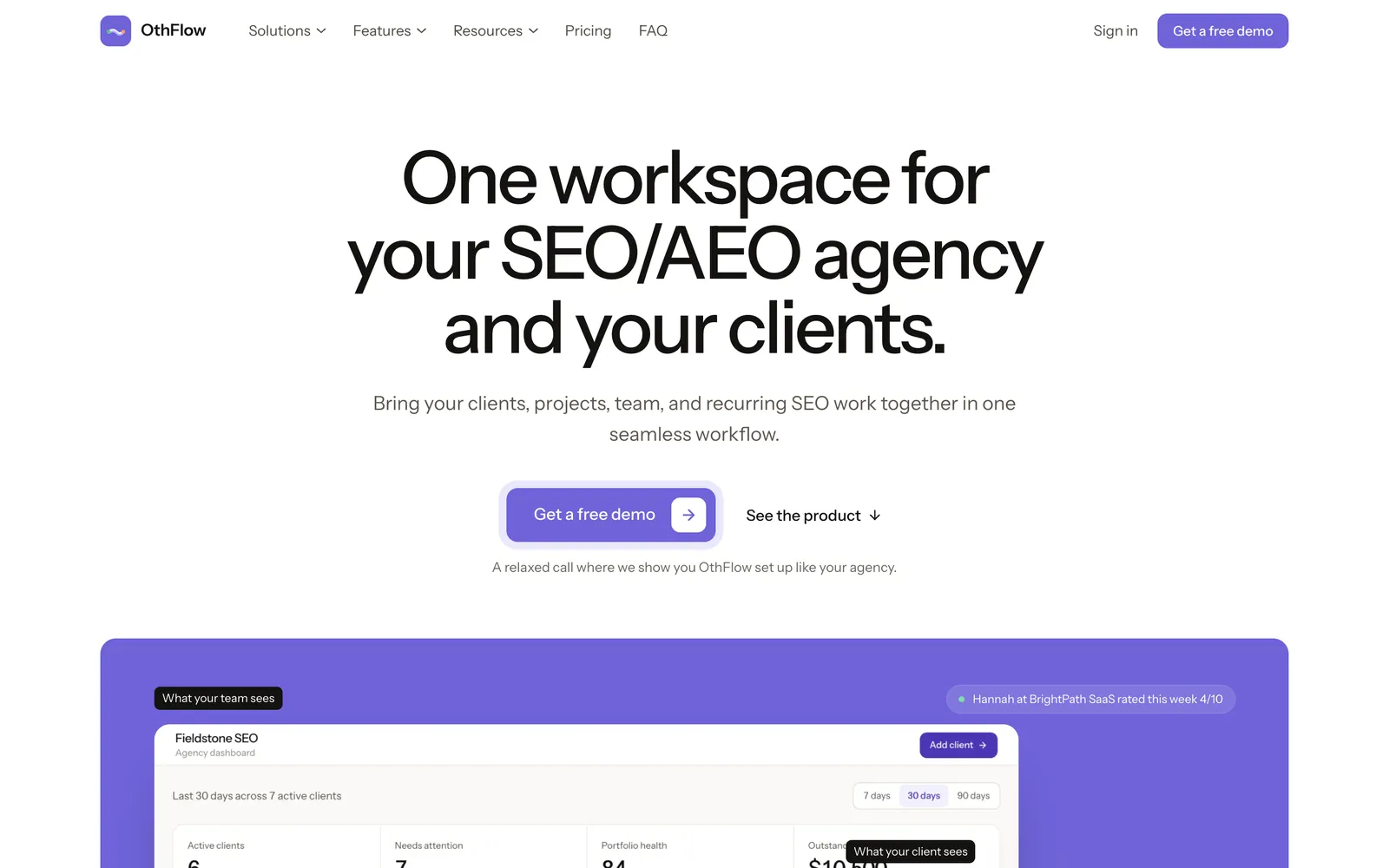
OthFlow is a workspace for SEO/AEO and content agencies that run monthly retainers. Each client record holds the deliverables, tasks, monthly SEO plan, messages, onboarding checklist and invoices, and the client gets a portal that shows the same work from their side.
Every plan also includes Search Console and GA4 reports for each client.
Standout features
- Client portal with a roadmap and onboarding checklist: Clients open their client portal from a secure link, with no account to create. It lists their deliverables in due-date order with each one’s status, the onboarding items they can tick off themselves (such as granting Search Console and Analytics access), anything awaiting their review, invoices and messages. You choose which sections each client sees.
- SEO workflows with client approval built in: New workspaces start with stage workflows for content, link building, technical SEO, local SEO and keyword research. Content runs Brief → Outline → Writing → Editing → QA → Client Review → Published, and at Client Review the client approves or requests changes from the portal. A change request moves the deliverable back a stage and logs the client’s note for the team.
- Client Health and Client Pulse: Each client’s health score starts at 100 and loses points for overdue deliverables, open blockers, unanswered change requests, unassigned work, unread client messages, overdue invoices, a missing plan for the month and 30 days without delivery. Once a week the portal also asks the client to rate how happy they are from 1 to 10, and a score of 6 or lower pulls their health down. Scores under 80 are flagged Watch and under 60 At risk, with the reasons listed.
Pros
- The SEO stages are there on day one, so you don’t spend your first month building custom workflows the way we did in Trello.
- Pricing is per active client with unlimited team members, so adding a freelancer or an account manager doesn’t change your bill.
- Deliverables without an owner count against the client’s health score, so work nobody has picked up shows on the dashboard instead of waiting in someone’s inbox.
Cons
- It’s new, so there are no public reviews on G2 or Capterra yet.
- OthFlow covers only SEO and content retainers, so paid media or web design work needs another tool.
- Last month’s deliverables aren’t copied forward automatically, so someone plans each client’s month. The health score does flag any client without a plan for the current month.
- There’s no free plan or self-serve trial, and the client portal can’t run on your own domain yet.
Pricing
OthFlow charges by active client, with unlimited team members and every feature on every plan. Starter costs $79 a month for up to 5 active clients, Growth costs $179 for up to 15, and Agency costs $349 for up to 40, with two months free on annual billing ($790, $1,790 and $3,490 a year). Agencies with more than 40 clients get a custom quote, and prospects, paused and archived clients don’t count toward your plan. Prices are as of October 2026.
Choose OthFlow when
your SEO retainers run from a spreadsheet or a generic board, clients keep asking where things stand, and you want approvals, the client view and late work in one place without building it yourself.
2. Teamwork.com
Best for agencies that sell retainers as hoursFrom $9.99/user/month
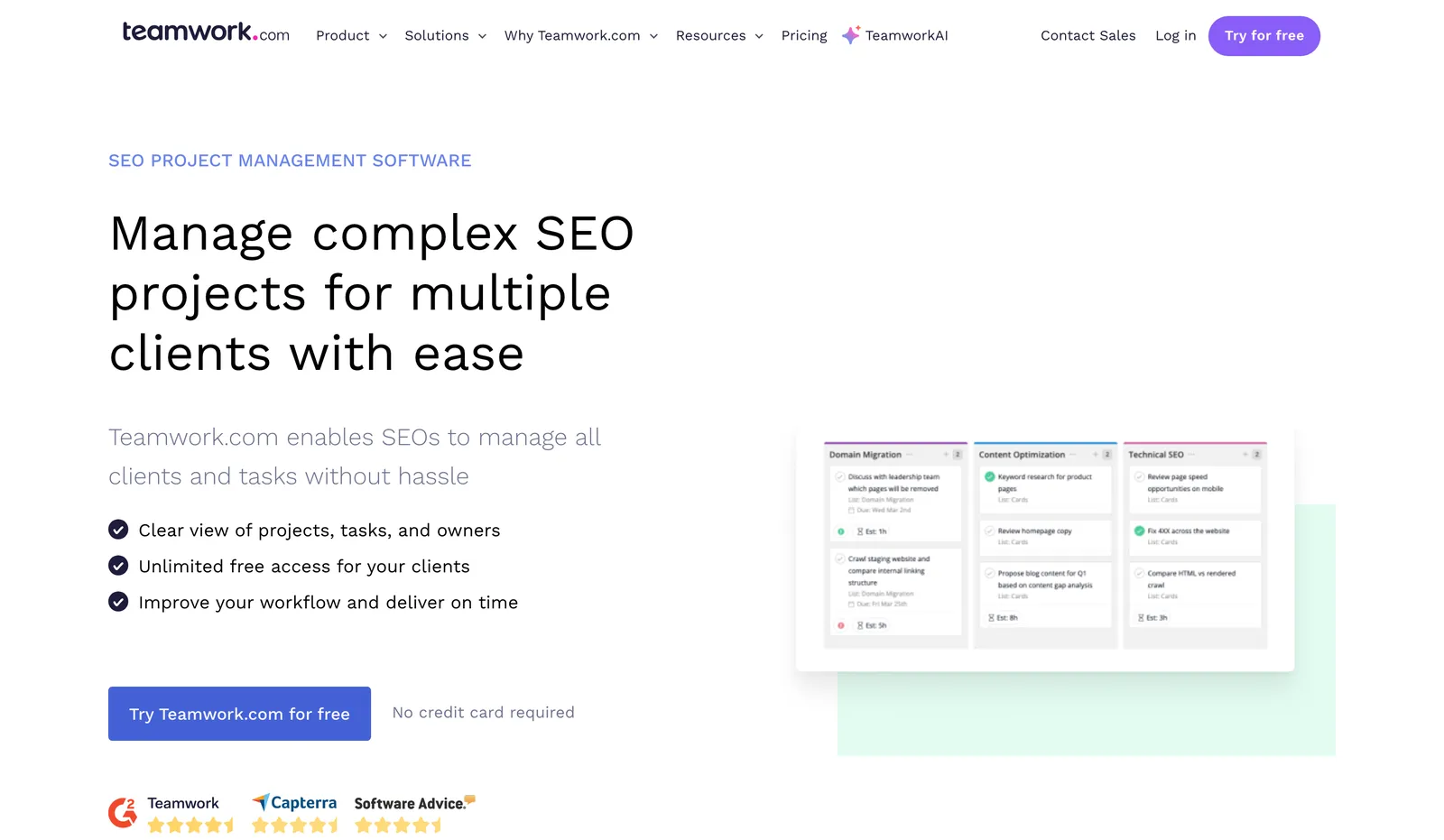
Teamwork.com is project management software for agencies and other client-services teams, with time tracking, budgets and invoicing next to the tasks. Its page for SEO agencies leads with unlimited free client access and task lists for migrations, structured data and digital PR.
Standout features
- Free client users: Client users cost nothing on any paid plan and work inside their own projects with reduced permissions, on up to five active projects each. Collaborators, a lighter free license, can comment, view files and complete tasks assigned to them.
- Proofs clients can approve without an account: A proof collects comments on a file or link, and reviewers and approvers, clients included, don’t need a Teamwork.com account to take part. Basics includes 20 proofs, while Accelerate and above have no limit.
- Retainer budgets and workload planning: On Accelerate, a retainer budget renews each month or quarter against logged time, and the Workload Planner compares each person’s working hours with the estimated time on their tasks.
Pros
- Client users are free and unlimited on paid plans, so taking on more clients doesn’t raise the bill.
- Time tracking, budgets and invoices live next to the tasks, which suits agencies that sell retainers as monthly hours.
- A client can approve a proof straight from the email invite, without creating an account.
Cons
- A repeating task creates its next copy only when the current one is marked complete, and a series with no end date stops after a year, so a missed task holds up the next month’s.
- Retainer budgets, the Workload Planner and unlimited proofs all start on Accelerate, which has a five-user minimum.
- Teamwork.com doesn’t list native integrations with Search Console, GA4 or SEO tools, so client SEO reporting happens in another tool.
Pricing
The Free plan covers up to 5 users and 5 projects. Basics costs $9.99 per user a month billed annually ($13.99 monthly) with a three-user minimum, Accelerate costs $24.99 billed annually ($29.99 monthly) with a five-user minimum, and Optimize and Enterprise are quote-only. There’s a 14-day free trial, and prices are as of October 2026.
Choose Teamwork.com when
you sell retainers as hours, want time tracking, budgets and client sign-off in one tool, and don’t mind building your SEO workflows from its templates.
3. ClickUp
Best for teams that want to build their own systemFree; Core from $9/user/month
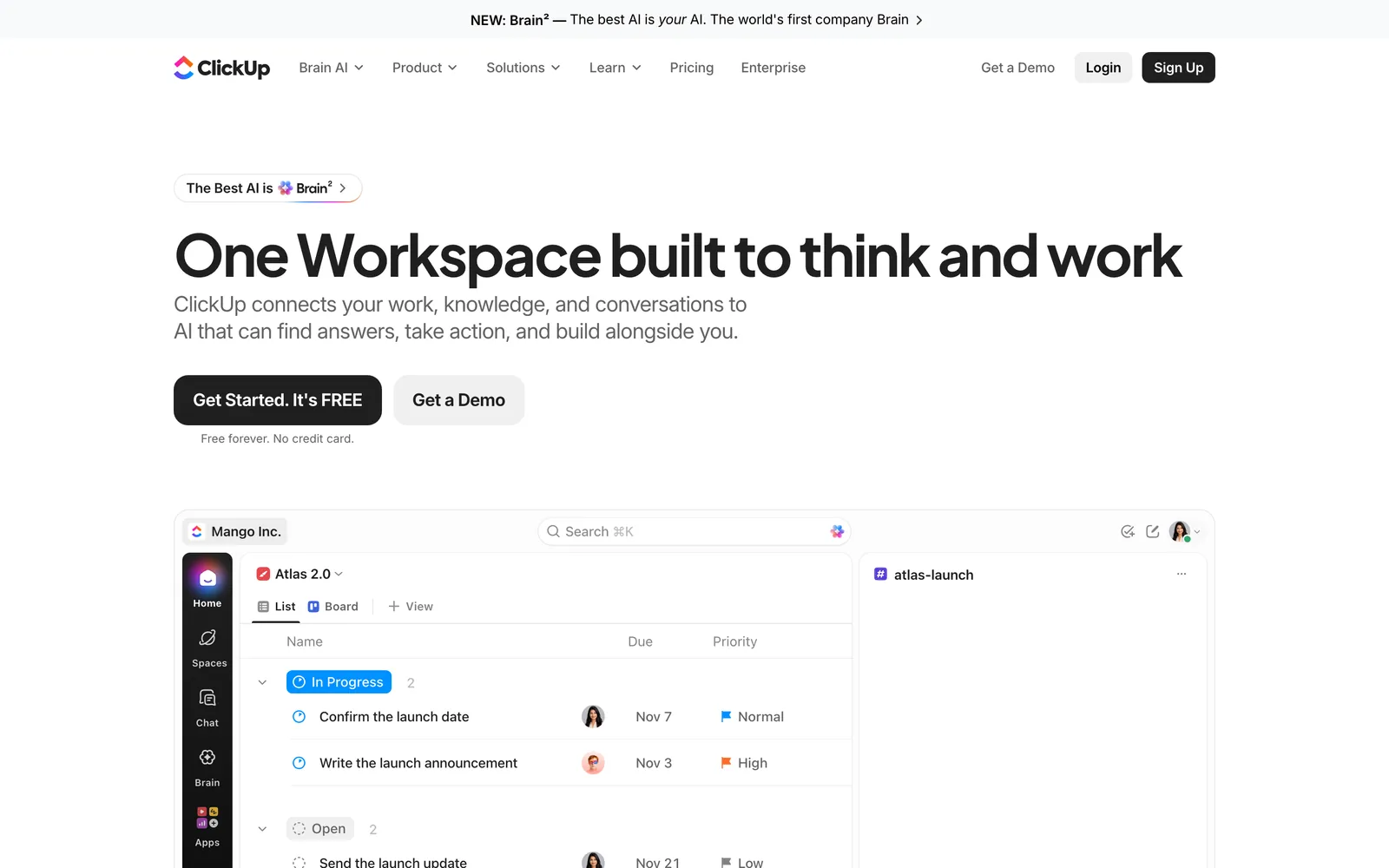
ClickUp is an all-in-one work platform that puts tasks, docs, chat, dashboards and AI agents in one workspace, organized into Spaces, Folders and Lists. It can model almost any process, so someone on your team has to design and build yours first.
Standout features
- Public links that need no account: On every plan, you can share a List view or a task through a public link that opens in a browser without a ClickUp login. Shared views are view-only and leave out private tasks.
- Guest roles with set permissions: View-only guests are free and unlimited on paid plans. Guests who comment or edit use permission-controlled guest seats, and Business includes 10 of them for the first member plus 5 for each member after that.
- Proofing on deliverables: Proofing pins assigned comments to images, videos and PDFs. Guests can use it, and it’s unlimited on Business and above.
Pros
- Recurring tasks work on every plan, and an automation can create a List from a template, which covers a client’s monthly set of deliverables.
- A 10-person team on Business gets 55 permission-controlled guest seats, enough for one commenting contact at each of 30 clients.
- Dashboards and the Workload view are fully included from Business, so an owner can see every client’s work in one place.
Cons
- When I used ClickUp for client work, it felt too clunky for what we needed.
- There’s no dedicated approval step, and ClickUp’s own design review guide builds approvals from custom statuses and an automation that tags the approver.
- Dashboards can’t be shared with people outside your Workspace, so a client has to join as a guest to see one, and guests only get view access.
Pricing
Free Forever includes unlimited members, with dashboards and the Workload view as limited trials. Core costs $9 per user a month billed annually ($12 monthly), Business costs $17 billed annually ($25 monthly), MAX costs $100 billed annually ($120 monthly), and Enterprise is quote-only. Every plan includes a pooled allowance of AI credits, with extra credits at $10 per 10,000, and prices are as of October 2026.
Choose ClickUp when
someone on your team enjoys building systems, you want docs, chat and tasks in one place, and clients mostly need to view progress or comment rather than sign off through a formal approval.
4. Asana
Best for agencies that run work as projects and portfoliosFree; Starter from $10.99/user/month
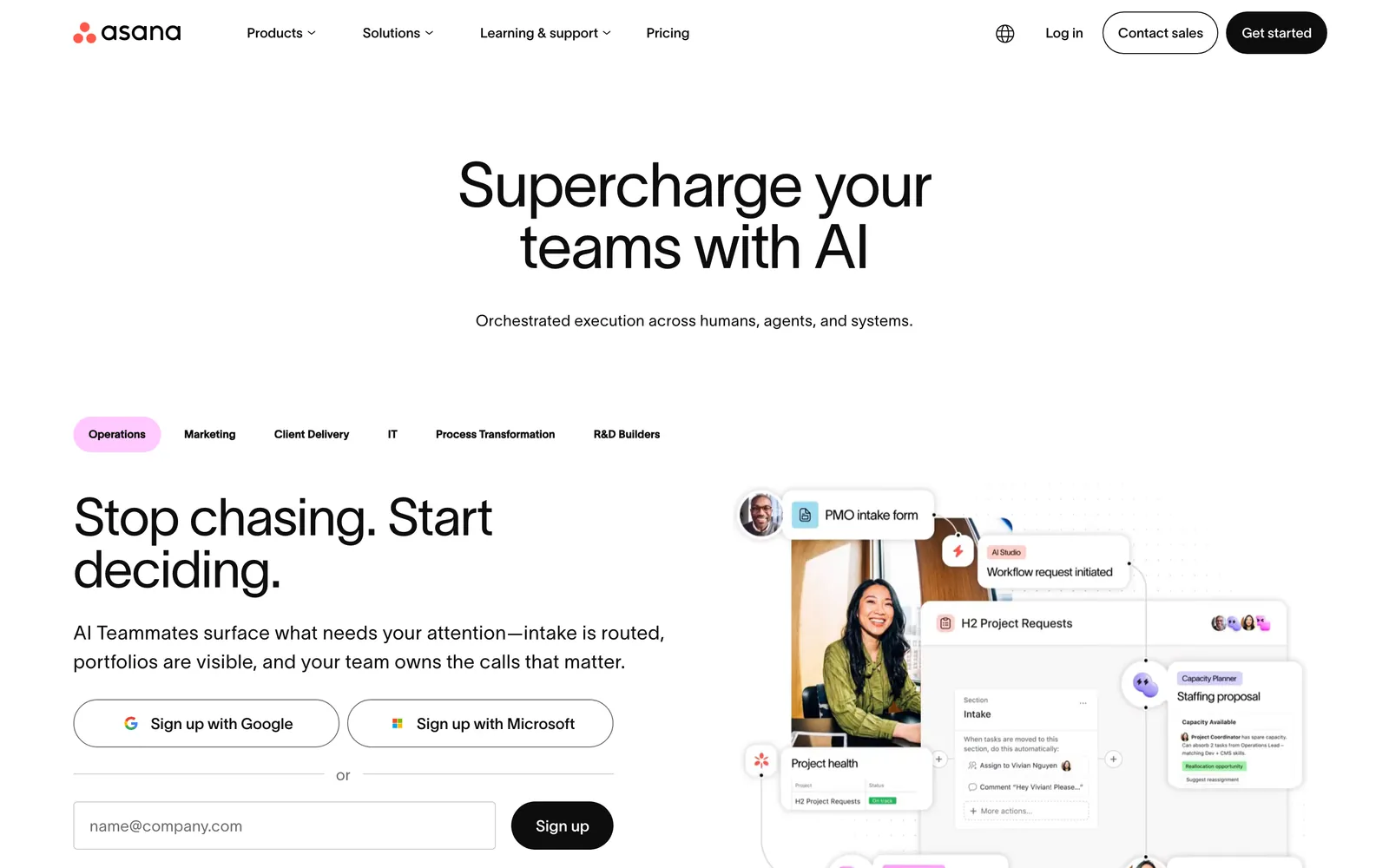
Asana is a work management platform for running many projects at once, with portfolios, goals and AI Teammates on top of task lists, boards and timelines. An agency can give each client its own project and group those projects into portfolios.
Standout features
- Unlimited free guests: From Starter, guests are free and don’t count toward your user total, so each client can join its own project at no cost.
- Approvals and proofing: Advanced adds approvals and proofing for feedback and sign-off on deliverables.
- Portfolios across client projects: Unlimited portfolios on Advanced track progress across related projects, and resource management balances workloads inside a portfolio.
Pros
- Guests are free on every paid plan, so client access doesn’t grow the bill.
- Starter includes custom templates and unlimited automations, so each client’s month can start from the same project template.
- Portfolios give an owner one place to check progress across every client project.
Cons
- Approvals, portfolios and workload balancing all need Advanced, which costs more than twice as much as Starter.
- Past five users, seats are sold in groups of five up to 30, so a 12-person team pays for 15 seats.
- Asana’s pricing page says it doesn’t offer refunds, so test the plan you need before paying for a year.
Pricing
Asana has a free Personal plan. Starter costs $10.99 per user a month billed annually ($13.49 monthly), Advanced costs $24.99 billed annually ($30.49 monthly), and Enterprise is quote-only. AI features come with every plan, extra AI requests cost from $0.50 each, and prices are as of October 2026.
Choose Asana when
you already run work as projects and portfolios, clients need a free login to their own project, and you’re willing to pay for Advanced to get approvals and the cross-client view.
5. monday.com
Best for teams that like building boardsFree; Basic from $9/seat/month
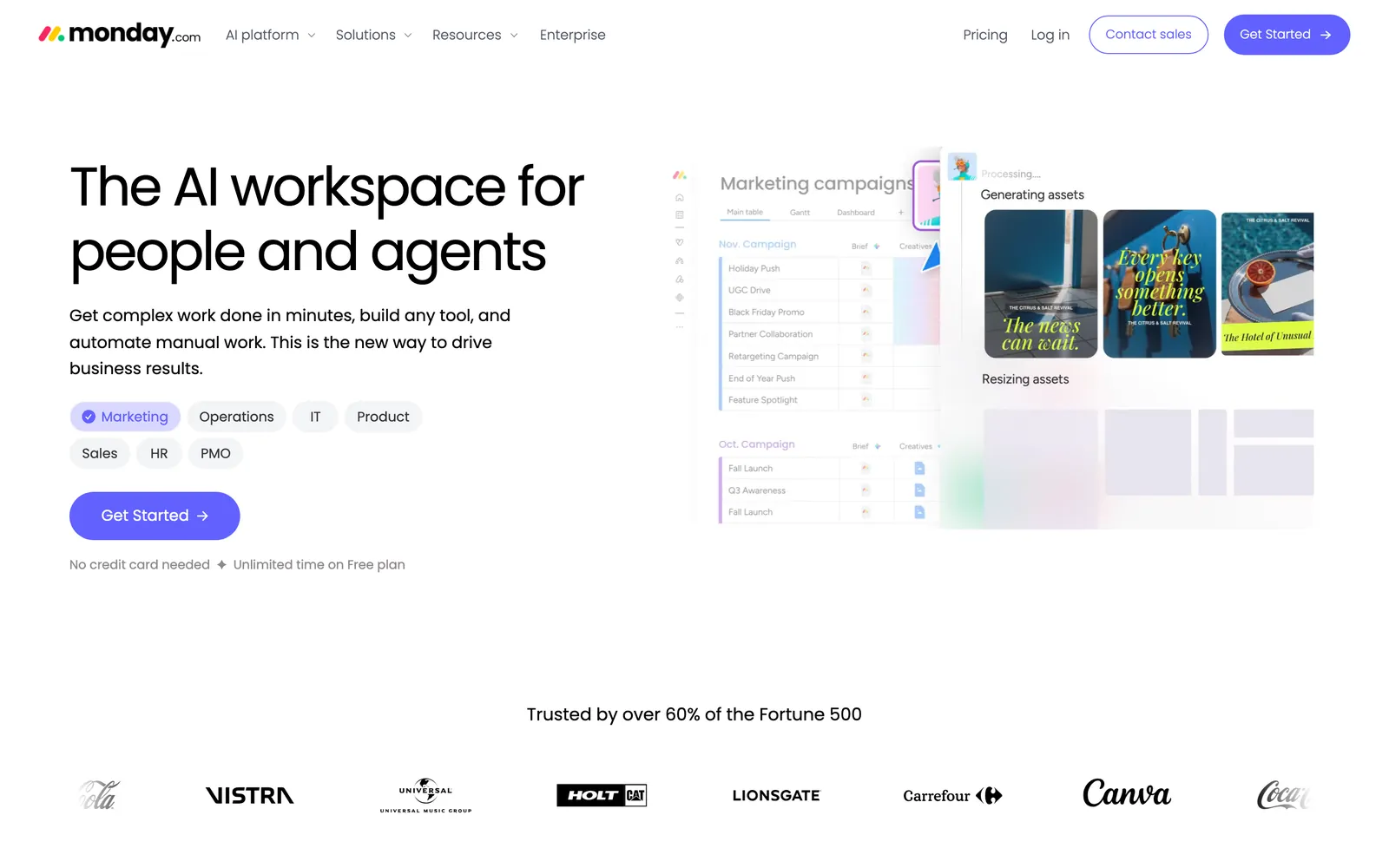
monday.com builds everything from boards: rows of items with columns for status, owner, dates and anything else you add. Agencies would use its work management product, where automations and views can turn a board into a client tracker.
Standout features
- Viewers and guests: Basic includes unlimited free viewers with read-only access. From Standard, shareable boards add guests who see only the boards you invite them to, and Pro and Enterprise allow unlimited guests.
- Monthly groups from automations: A recurring automation can duplicate a board group every month, so a client’s set of deliverables comes back on the 1st, ready to rename and reset.
- Timeline, Gantt and calendar views: Standard adds timeline, Gantt and calendar views, which give a client a readable plan for the month on a shared board.
Pros
- On Pro, guests are unlimited, so client access doesn’t grow with your client list.
- Recurring automations can copy each client’s monthly group, so nobody retypes the deliverables.
- Viewers are free and unlimited from Basic, so people who only need to read a board can follow along at no cost.
Cons
- Basic has no guests, only read-only viewers, so client collaboration starts on Standard.
- On Standard, every four guests count as one billed seat, so 30 client contacts add seven seats to a 10-person team, and monday.com moves you up a seat tier automatically once you pass your limit.
- The pricing page lists no approval feature for work management, so client sign-off runs on status columns and automations you set up yourself.
Pricing
The Free plan covers up to 2 seats and 3 boards. Basic costs $9 per seat a month billed annually ($12 monthly), Standard costs $12 billed annually ($14 monthly), Pro costs $19 billed annually ($24 monthly), and Enterprise is quote-only. Seats are sold in set team sizes, and prices are as of October 2026.
Choose monday.com when
your team likes building its own boards and automations, you want clients on shared boards, and Pro’s unlimited guests fit your client count.
6. Wrike
Best for agencies that need formal sign-offFree; Team from $10/user/month
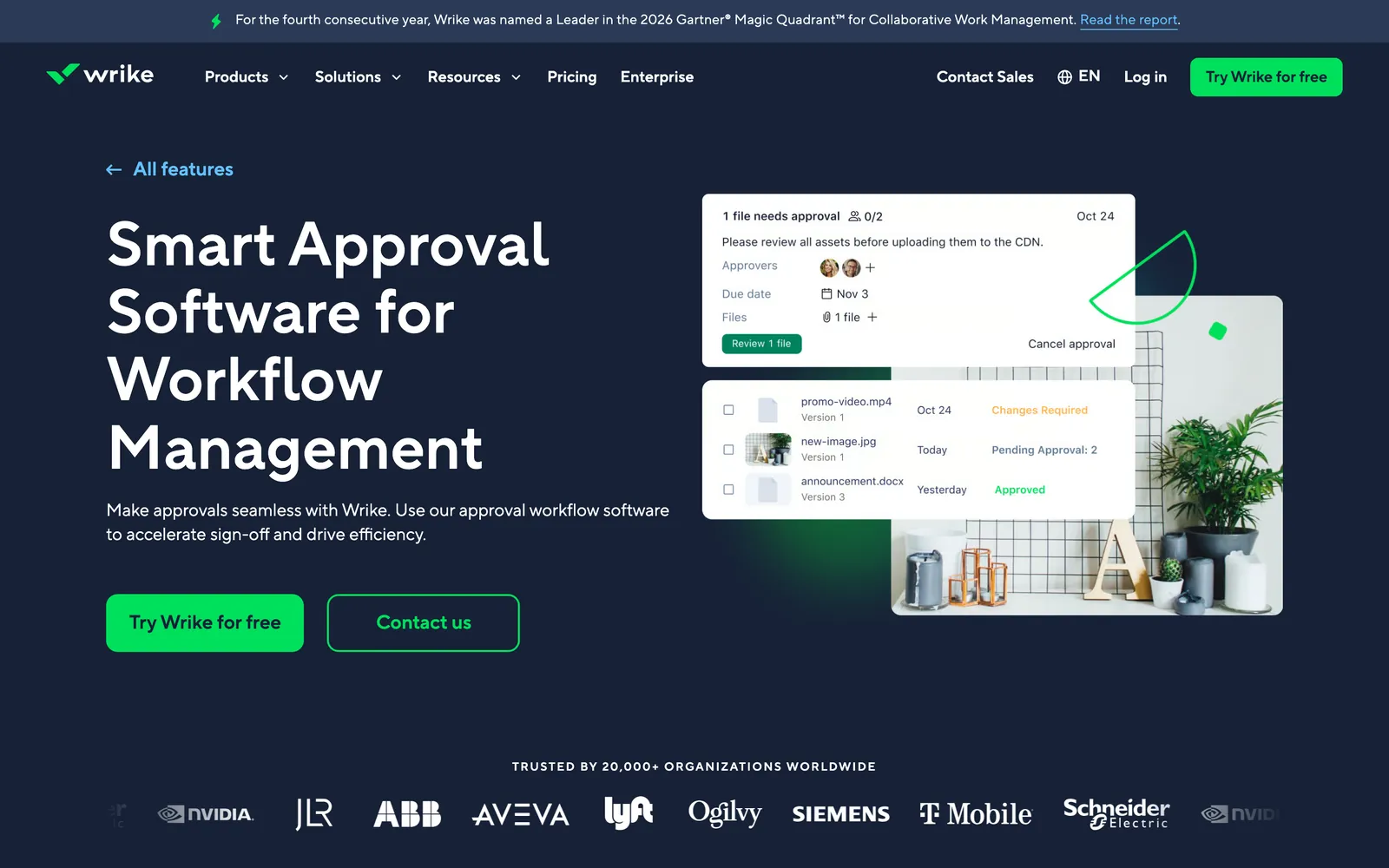
Wrike is work management software for larger teams, with approvals, proofing, request forms, dashboards and resource planning. Its approvals can cover a single task, a folder or a whole project.
Standout features
- Approvals on tasks, folders and projects: On Business and above, approvals name the approvers and a due date, record every decision, and can start automatically when work reaches a workflow status or someone submits a request form.
- Pending approvals on dashboards: Dashboard widgets can list outstanding approvals, so an owner sees stalled sign-offs across clients without opening each project.
- Free viewers who can comment: Viewer licenses are free, and Wrike’s license table lets viewers comment on tasks, folders and projects.
Pros
- Each approval records who approved or rejected the work, when and why, so you have a record if a client later asks what they signed off.
- Request forms can start an approval automatically, including forms submitted by people outside your team.
- Clients can follow and discuss work on free viewer licenses.
Cons
- Approvals start on Business at $25 per user a month, which is sold only on annual plans with a five-user minimum.
- External users count as full users and need a paid seat, and the free Collaborator license closed to new accounts in January 2025.
- Resource and capacity planning, plus budgeting with billable hours, starts on Pinnacle, which is quote-only.
Pricing
Wrike has a Free plan. Team costs $10 per user a month for 2 to 15 users, Business costs $25 for 5 to 200 users, and Pinnacle and Apex are quote-only. Those prices are per month on annual billing, Business and above are annual-only, and seats come in groups of five up to 30 users. Prices are as of October 2026.
Choose Wrike when
formal sign-off is your bottleneck, you want a record of who approved what and when, and you can commit to an annual Business plan.
7. Wayfront (formerly SPP)
Best for packaged SEO services sold online$99/month billed yearly
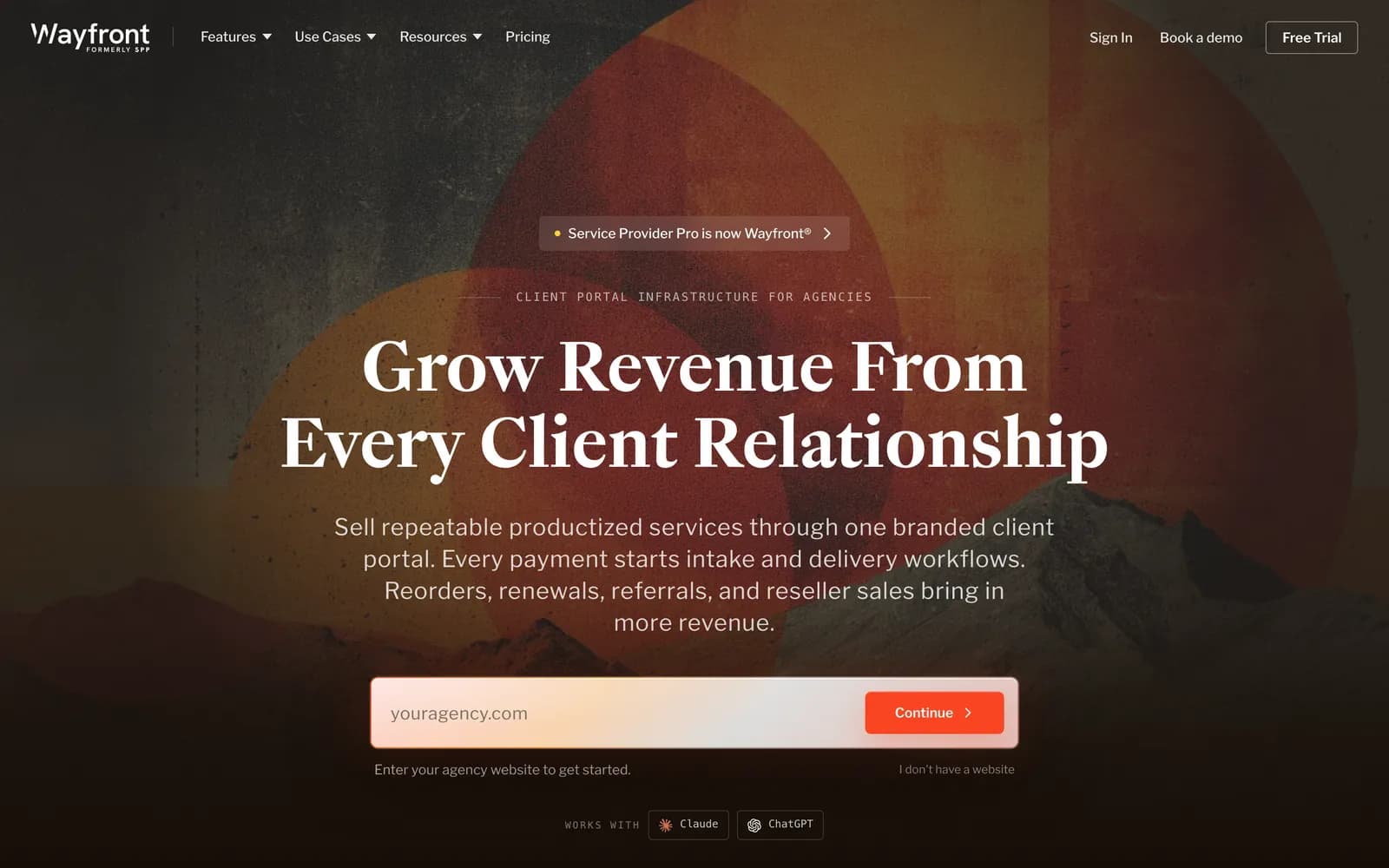
Wayfront is a client portal and operations tool for agencies that sell packaged services, and SEO agencies are one of its main markets. It was called Service Provider Pro (SPP) until the rename in February 2026, which kept the product and pricing the same. A client buys a package through an order form and fills in the intake, and the order becomes a project with tasks for your team.
Standout features
- Orders that become projects: On Wayfront’s page for SEO agencies, payment and intake create the project with its tasks, SOPs, people and deadlines. Inside an order, tasks are assigned in sequence, so finishing one step assigns the next one to the next person.
- Subscriptions that reopen the work: For a monthly package, the existing order reopens by default each billing cycle, or you can set the service to create a new order instead.
- SEO reporting in the portal: The Pro plan adds rankings, backlinks, site audits and AI mentions inside the client portal, and you can embed AgencyAnalytics or Looker Studio dashboards there too.
Pros
- Clients pay, fill in the intake and follow progress in one branded portal, and a custom domain is included on the Base plan.
- Pricing is flat with unlimited clients, so taking on more clients doesn’t raise the bill.
- Sequential tasks handle the handoff between team members inside an order, so the next person is assigned as soon as the previous step is done.
Cons
- When I used it as SPP, it handled basic task management but wasn’t built around how an SEO agency runs. It has since added SEO reporting on the Pro plan.
- Approvals are built around files and finished orders: clients sign off through file proofing or request revisions on a completed order.
- Ten people need the Pro plan, because Base includes five seats and its plan doesn’t list extra seats.
Pricing
Base costs $129 a month, or $99 a month billed yearly, with five team seats. Pro costs $299 a month, or $249 billed yearly, with 10 seats, SEO reporting and client coworkers, and extra seats cost $20 a month ($18 billed yearly). Plus is custom-priced for teams of 50 or more. There’s a 14-day free trial with no card required, and prices are as of October 2026.
Choose Wayfront when
you sell defined SEO packages, such as a monthly link-building bundle, that clients order and pay for online, and you want each payment to start the work automatically.
8. Basecamp
Best for simple client communicationFree; Freelancer $29/month
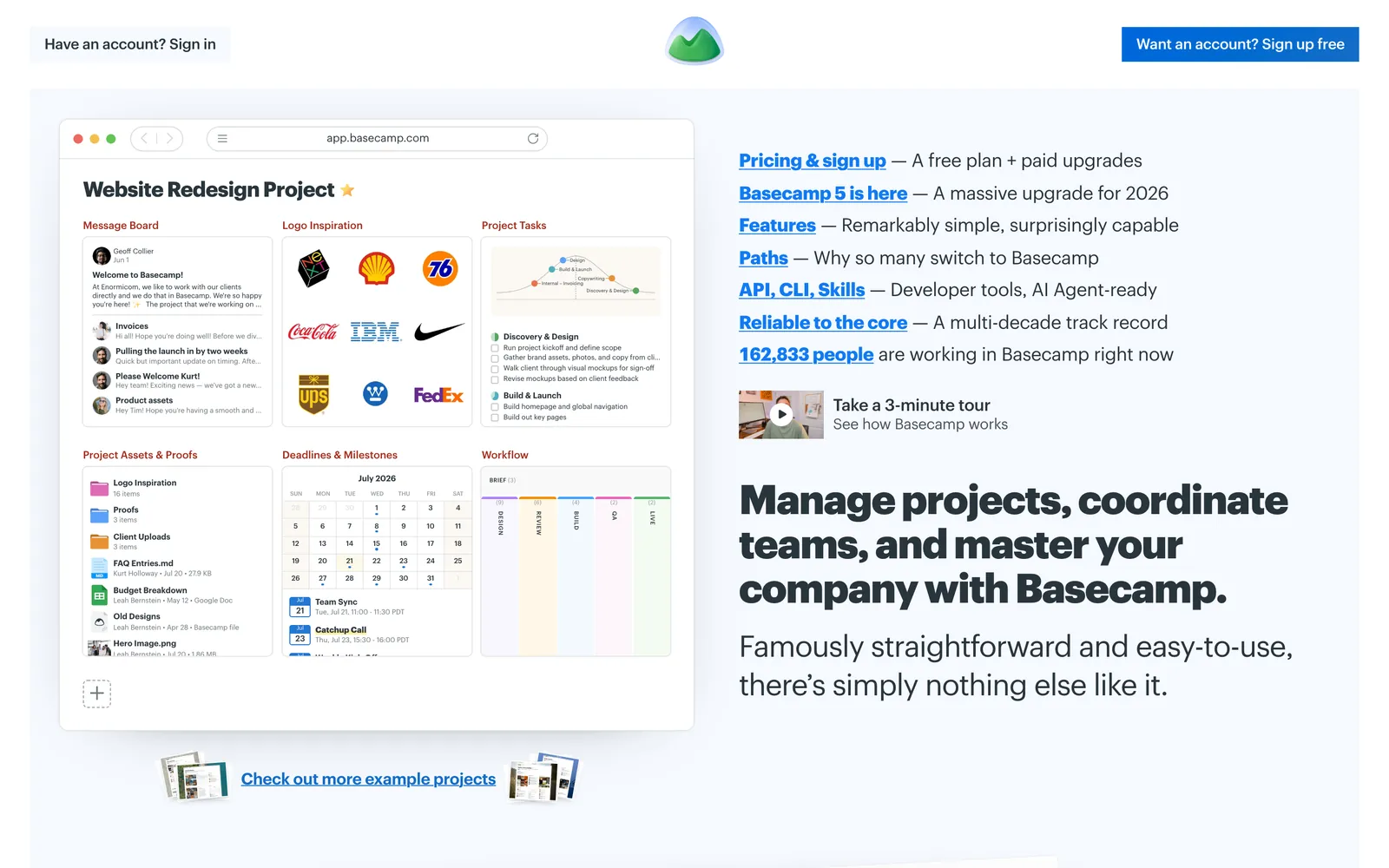
Basecamp, from 37signals, gives each project one page with a message board, to-dos, a schedule, docs and files, and group chat. It charges a flat monthly fee rather than per user, and Basecamp 5 is the current version.
Standout features
- Client mode: Basecamp’s client mode lets you decide what clients see, project by project, so unfinished work stays hidden while the conversation stays on the record.
- Automatic Check-ins: A check-in asks your team the same question on a schedule, such as what everyone’s working on each Monday morning, and keeps the answers in one place.
- The Lineup and Everything views: The Lineup plots every project on one timeline by its start and end dates, and Everything views pull all files, to-dos or messages of one type onto a single page across projects.
Pros
- Pro Unlimited has a fixed price with unlimited users, clients included, so adding clients never changes the bill.
- When I used it for client work, it handled basic task management fine.
- Client mode hides internal work inside the same project, so you don’t need a separate project for each client’s view.
Cons
- Basecamp wasn’t built for SEO agencies and has no SEO reporting, so client reports come from another tool.
- Its feature list has no approval step, so client sign-off happens in a comment or a to-do you assign to the client.
- Plans below Pro Unlimited cap active projects at 3, 8 or 12 and people at 5, 10 or 15, and clients count toward the user limit, so a 30-client agency needs Pro Unlimited.
Pricing
Basecamp’s free plan covers one project and three users. Freelancer costs $29 a month, Pro $79, Pro Plus $99 (which adds time tracking), and Pro Unlimited $199 a month billed annually or $329 billed monthly, with unlimited projects and users. Project templates start on Pro, there’s a 30-day free trial, and prices are as of October 2026.
Choose Basecamp when
clients mainly need to follow the conversation and the to-dos, you want one flat price however many people join, and you’ll handle SEO reporting and approvals elsewhere.
9. Trello
Best for small teams with a few clientsFree; Standard from $5/user/month
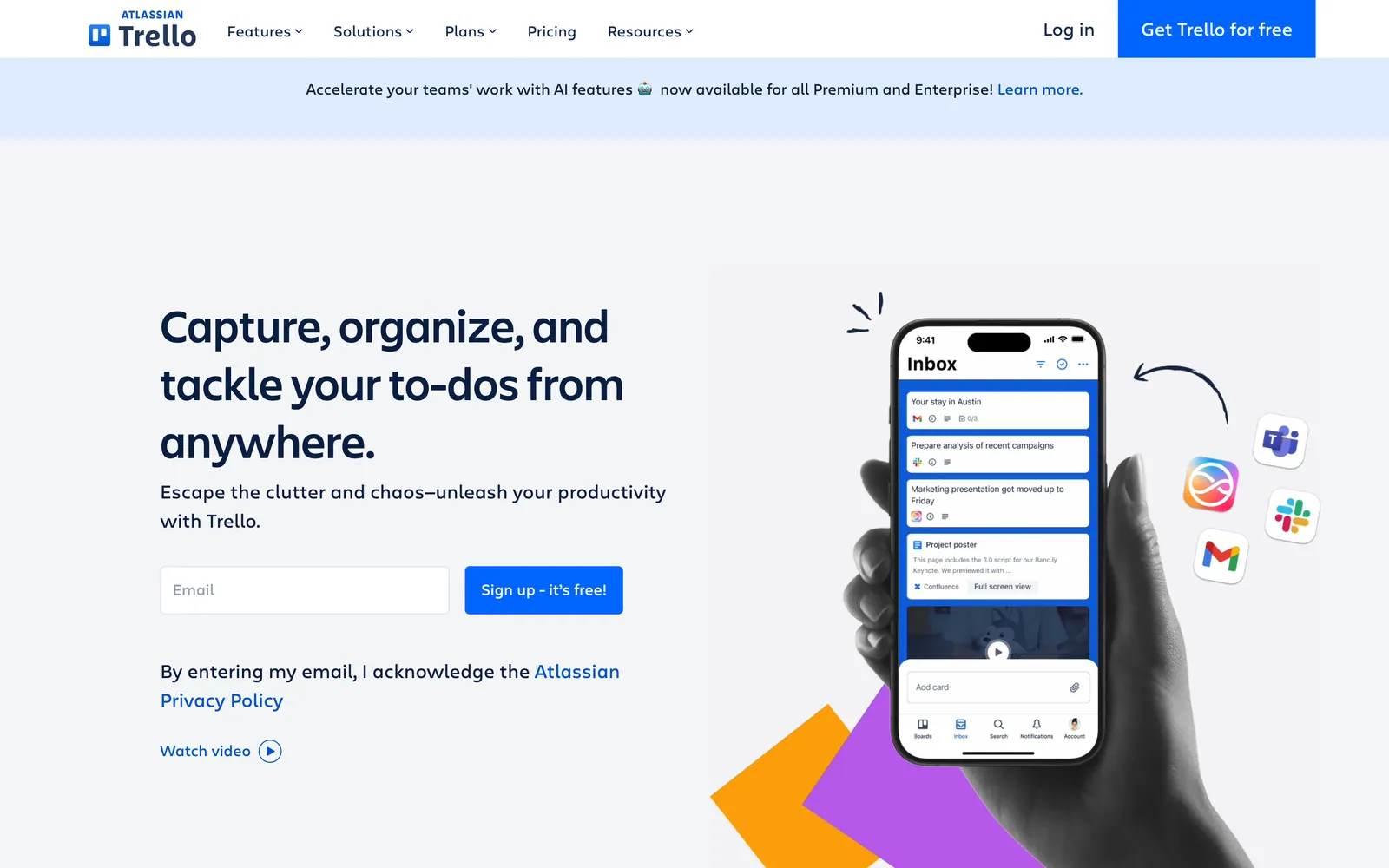
Trello is Atlassian’s board tool: lists of cards that move from left to right as work progresses. In my experience it’s the easiest tool on this list to start using, and I’ve run client work in it myself.
Standout features
- Free single-board guests: A client invited to one board doesn’t take a paid seat, so a client-facing board for each client costs nothing extra. A client added to two or more boards on Standard or Premium is billed like a team member.
- Repeating cards for monthly work: The Card Repeater Power-Up copies a card every day, week, month or year, and scheduled automations can move cards on a set day.
- Cross-board views on Premium: Workspace views pull cards from every board into one table or calendar, filtered by member, label or list, so you can see every client’s due work in one place.
Pros
- It’s very simple to use, and the Free plan lets a small team try it on real client work before paying.
- Paid plans are cheap, starting at $5 per user a month on annual billing.
- A senior operations manager at an agency says on G2 that it keeps projects from falling through the cracks, and Trello holds a 4.4 rating from more than 14,000 reviews on G2.
Cons
- Trello wasn’t built for agency work. We had to set up custom workflows to match how we worked, and it never captured the details of how an SEO agency runs.
- Guests see every card on a board they’re invited to, because Trello has no card-level permissions, so internal notes need a separate client board.
- There’s no built-in approval step. Approvals come from third-party Power-Ups such as Card Approvals at $2 per user a month, and the approver has to be a board member.
Pricing
The Free plan covers up to 10 collaborators per Workspace, guests included, and 10 boards. Standard costs $5 per user a month billed annually ($6 monthly), Premium costs $10 billed annually ($12.50 monthly), and Enterprise costs $17.50 per user a month billed annually. Workspace views and unlimited automation runs need Premium. Prices are as of October 2026.
Choose Trello when
you have a handful of clients and one account manager, want a board your team can use today, and don’t mind building approvals, client boards and recurring cards yourself.
What each tool costs a 10-person SEO agency with 30 clients
This table prices each tool for 10 team members and 30 clients, with one contact per client who comments on and approves work. For each tool I picked the cheapest plan that covers client access, approvals or proofing, monthly repeats and a cross-client view, using the vendors’ published prices as of October 2026.
| Tool | Plan you’d need | Billed monthly | Billed annually | Notes |
|---|---|---|---|---|
| OthFlow | Agency (up to 40 active clients) | $349/month | $3,490/year | Unlimited team members, and clients use the portal at no cost |
| Teamwork.com | Accelerate | $299.90/month | $2,998.80/year | Client users are free, and Basics stops at 20 proofs |
| ClickUp | Business | $250/month | $2,040/year | Includes 55 guest seats, and approvals are built from statuses |
| Asana | Advanced | $304.90/month | $2,998.80/year | Guests are free, and 10 seats fits Asana’s seat bundles |
| monday.com | Pro | $240/month | $2,280/year | Unlimited guests, while Standard would bill 30 guests as seven extra seats |
| Wrike | Business | Not offered | $3,000/year | Annual billing only, with clients on free viewer licenses |
| Wayfront | Pro (10 seats) | $299/month | $2,988/year | Unlimited clients, with SEO reporting included |
| Basecamp | Pro Unlimited | $329/month | $2,388/year | Flat price, and clients count as users, so smaller plans don’t fit |
| Trello | Premium | $125/month | $1,200/year | Single-board guests are free, and approvals need a paid Power-Up |
Scroll sideways to see every column.
What 10 people and 30 clients cost a year
The cheapest plan with client access, approvals, monthly repeats and a cross-client view, billed annually.
- TrelloPremium$1,200$1,200
- ClickUpBusiness$2,040$2,040
- monday.comPro$2,280$2,280
- BasecampPro Unlimited$2,388$2,388
- WayfrontPro$2,988$2,988
- Teamwork.comAccelerate$2,998.80$2,998.80
- AsanaAdvanced$2,998.80$2,998.80
- WrikeBusiness$3,000$3,000
- OthFlowAgency$3,490$3,490
Vendor list prices, October 2026, before tax and AI add-ons. One client contact per client who comments and approves. Trello’s total leaves out the Card Approvals Power-Up at $2 per user a month.
Trello costs far less than anything else, and you make up the difference in setup, because client boards, approvals and recurring cards are all yours to build. ClickUp and monday.com come next, and both still leave approvals to statuses and automations you configure. The tools with client sign-off built in (Teamwork.com, Asana, Wrike and Wayfront) cost between $2,988 and $3,000 a year at this size, and OthFlow’s Agency plan costs $3,490.
Per-seat prices rise with every hire, while OthFlow’s price follows your active clients. Add two account managers and Teamwork.com Accelerate costs $3,598.56 a year, while Asana Advanced and Wrike Business move up to 15-seat bundles at $4,498.20 and $4,500, all above OthFlow’s Agency plan.
How to choose SEO project management software
Pick the tool that fixes what breaks first at your agency, then price it at your real team size and client count.
- OthFlow if clients keep asking where things stand, approvals stall, and your work is SEO and content retainers. The client portal, approvals and Client Health come set up for that work.
- Teamwork.com if you sell retainers as hours and want time tracking, budgets and client proofs in the same tool.
- Wrike if formal sign-off is the bottleneck and you can commit to an annual Business plan.
- Wayfront if clients buy defined SEO packages online and each payment should start the work.
- ClickUp or monday.com if your team likes building its own system and clients mostly need to view and comment.
- Asana if you already run work as projects and portfolios and you’ll pay for Advanced.
- Trello or Basecamp if you have a handful of clients and one account manager, and you’re fine handling approvals and reporting elsewhere.
If your SEO retainers run from a spreadsheet and clients keep asking how their work is going, book an OthFlow demo. I’ll show you the client portal, approvals and Client Health on a setup that matches your agency.

Written by
Founder of OthFlow
Tim is the founder of OthFlow. He’s worked in SEO for seven years and has helped more than 50 businesses grow their pipeline and hit their goals through SEO and AI search.
Connect on LinkedIn